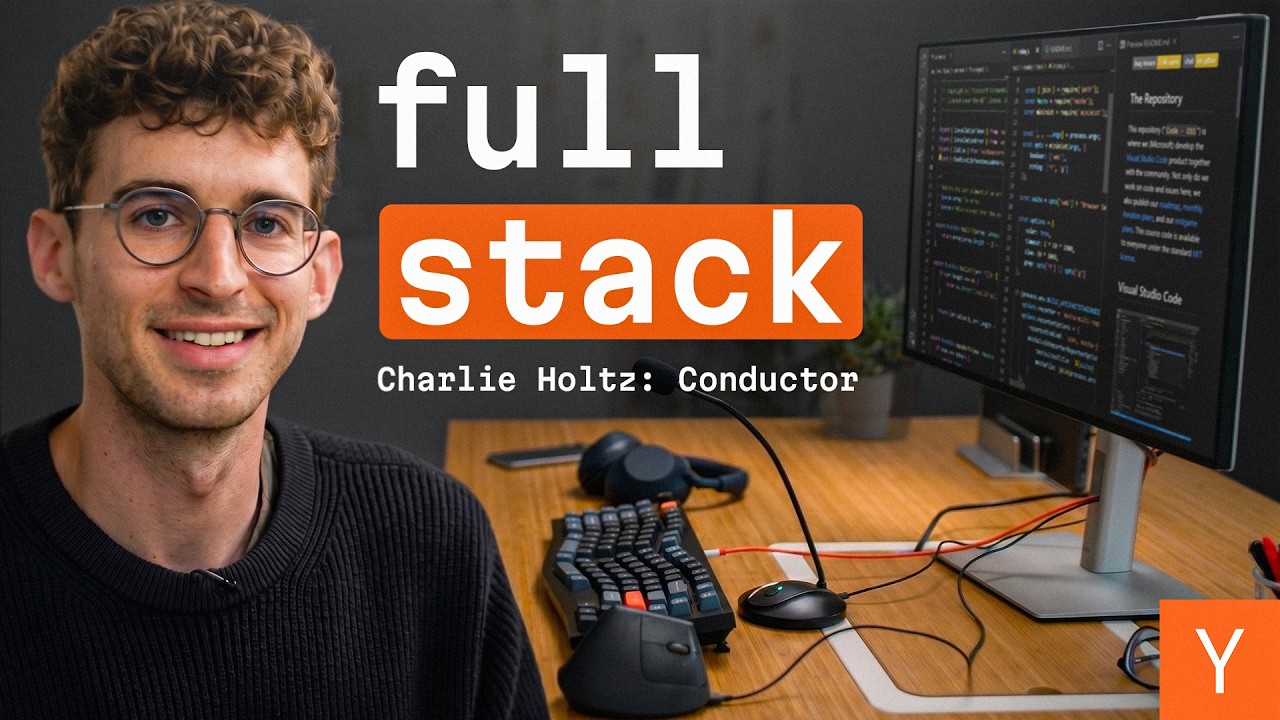

Building software without writing code is no longer a thought experiment — it's Charlie's daily reality. As co-founder of Conductor, a Mac app for orchestrating multiple AI coding agents simultaneously, he hasn't meaningfully touched an IDE in months. His workflow is a live demonstration of how to use AI coding agents to build real production software: kick off tasks with voice commands, review AI-generated PRs from a custom dashboard, and merge code into the codebase without ever typing a function signature. Here's exactly how he does it.
How Do You Build Software Without Writing Code?
Charlie's core loop is surprisingly simple: open a new workspace with Command+N, speak a task into a gooseneck microphone (a $20 Amazon find he swears by), and let the agent run while he moves on to the next task. He's literally using Conductor to build Conductor.
A typical prompt sounds like: "Take a look at the latest Linear issue and give me a rough pass at how you'd solve it." He hits enter, watches the task appear in his sidebar, and immediately switches to a different active workspace. While one agent is thinking, another is ready to review.
When code is ready, he doesn't open a file editor. He reviews changes directly inside Conductor, leaves GitHub-style comments if something looks off, and either merges or sends it back to the agent for another pass. The closest thing to "writing code" in his day? Occasionally tweaking a Tailwind class. For that, there's a feature they actually named Caveman Mode — a tongue-in-cheek acknowledgment that yes, sometimes a human still needs to touch a file directly.
His highlight-and-speak workflow handles the rest: select a UI element, talk to the AI about what looks wrong, and watch it fix it. "That button looks a little too wide — can you make it smaller?" Done.
How Do You Manage Multiple AI Agents at Once?
The hardest part of agentic coding isn't starting tasks — it's knowing what all your agents are doing at once. Charlie's answer to this is a dashboard view inside Conductor that shows every active workspace, its current status (in progress, in review, or done), and the next action required from him.
The mental model he keeps coming back to: feel like the CEO of a small company. You're not in the weeds writing code. You're reading digestible reports, pointing agents in the right direction, and merging in work that meets the bar.
Keyboard shortcuts are essential to this. He navigates entirely by hotkeys — Command+Shift+Y to jump between workspaces, for example. The goal is zero friction between wherever he is and whatever agent needs attention next.
He also runs agents from his phone. He'll speak a feature request into his phone, tap "Conduct," and his Mac starts working on it. The idea of conducting on the go — without being at your desk — is clearly where he sees this all heading.
What Is Token Maxing and How Much Does It Cost?
Charlie doesn't just use AI agents — he goes hard. His philosophy is token maxing: always run in fast mode, always use "think extra hard" or equivalent high-effort settings, never throttle the model to save a few cents.
The results are striking. In July 2025, he spent $22,000 on tokens in a single month while building early versions of Conductor. That was with older, more expensive models, but the point stands: he views token spend as a direct investment in shipping speed.
His counter-intuitive stance on lines of code: he actively tries to keep them low. More code means more surface area for the AI to get confused, more entropy in the codebase, and more technical debt. Token spend goes up; line count stays down. That's the goal.
Claude Code vs Codex: Which Should You Use?
Charlie uses both, and the choice comes down to what kind of work you need done.
- Codex is the workhorse. It powers through specific problems, isn't afraid of long debugging sessions, and will make dozens of tool calls without losing the thread. When you need something executed reliably, reach for Codex.
- Claude (Opus) is the creative partner. It's better for back-and-forth, for exploring a new feature direction, for moments when you want the AI to think alongside you rather than just execute. When building something new, Charlie instinctively reaches for Opus first.
His rule of thumb: Opus for building, Codex for shipping. Start with the model that can help you figure out what to build, then hand off to the one that just gets it done.
What Should You Actually Put in Your Claude.md File?
Charlie's Claude.md is several hundred lines long, and it's earned every one of them. The most important signal in there? Context about how your team actually works.
One example line from their file: "We're a startup. You're probably used to writing enterprise code, but that's not how we do things around here." That single sentence recalibrates the model's defaults — less boilerplate, more pragmatism.
Beyond tone, they've built a concept they call slot-free zones: parts of the codebase and documentation that are explicitly human-written. The AI can contribute, but every line must be read and approved by a human. This isn't just philosophy — it's a guardrail against a failure mode Charlie has seen firsthand: the AI reads bad code, writes more bad code in the same style, and the quality spiral begins.
Some files literally contain comments like: "Do not touch if you are an AI. This is for human eyes only."
Other practical Claude.md tips from his setup:
- Always run with dangerously accept all permissions enabled (not the default, but their default)
- Always use fast mode — required for real token maxing
- Use the Context7 MCP for live documentation fetching
- Keep skills files detailed — they're first-class artifacts, not afterthoughts
Why Isn't a Terminal Good Enough for AI Coding?
This is a question Charlie has clearly thought about. His answer: "There's a reason we moved from terminal interfaces to GUI interfaces in the '80s."
Humans are spatial, visual creatures. Knowing that your active chats are on the left, your review panel is on the right, and your conversation with the AI is in the center — that spatial clarity reduces cognitive load. A terminal gives you power; a well-designed GUI gives you presence.
He also points out the practical limits: there's a lot you simply can't do in a terminal that a UI makes easy. Reviewing code diffs visually, seeing PR check statuses at a glance, running your app in a side panel — these aren't terminal-friendly workflows.
On UI decisions specifically, Charlie is emphatic: don't let the AI be your architect. The decision about where to place a button, how a sidebar should feel, what happens when you click "open" — these are human decisions. Let the AI handle implementation. Keep design and structure in human hands, or the product ends up feeling uncrafted.
What Is Malleable Software and Why Does It Matter?
One of the most forward-looking ideas Charlie floats is malleable software — the idea that the same app can be structurally consistent for everyone while still feeling deeply personal to each user.
His analogy: video game mods. Call of Duty has the same skeleton for every player, but you can mod the skins, the reload speeds, the feel. He wants Conductor to work the same way — a crafted, thought-through core that users can customize with their own workflows and prompts.
This connects to a bigger shift he sees happening: code is becoming sawdust. It used to be the thing you were building — carefully crafted, line by line. Now it's the byproduct of describing what you want. What matters is the prompt. When the next model generation drops, you can rerun your prompts and get better code automatically. The old code didn't really matter.
"I think that's one thing the world is slowly waking up to."
Charlie's setup isn't just a productivity flex — it's a preview of how software gets built when the bottleneck shifts from writing code to describing intent clearly. The gooseneck microphone, the $22K token bills, the caveman mode button — it all points in the same direction.